


为了平滑游戏对象在 Unity 中的行进路线,我们经常会在 Unity 中使用 ITweenPath 插件,但有时候我们或许只会使用到通过 ITweenPath 绘制出来的点(比如把这些点放到配置文件中),并不希望加载 ITweenPath 插件或者通过自己的函数去实现游戏对象的移动,通过查看 ITweenPath 的代码,很容易就把 ITweenPath 绘制曲线点的方法给提取出来了,主函数并不多,只有三个方法,希望能给你带来帮助!
先来看看最终的 Demo 实现方式:
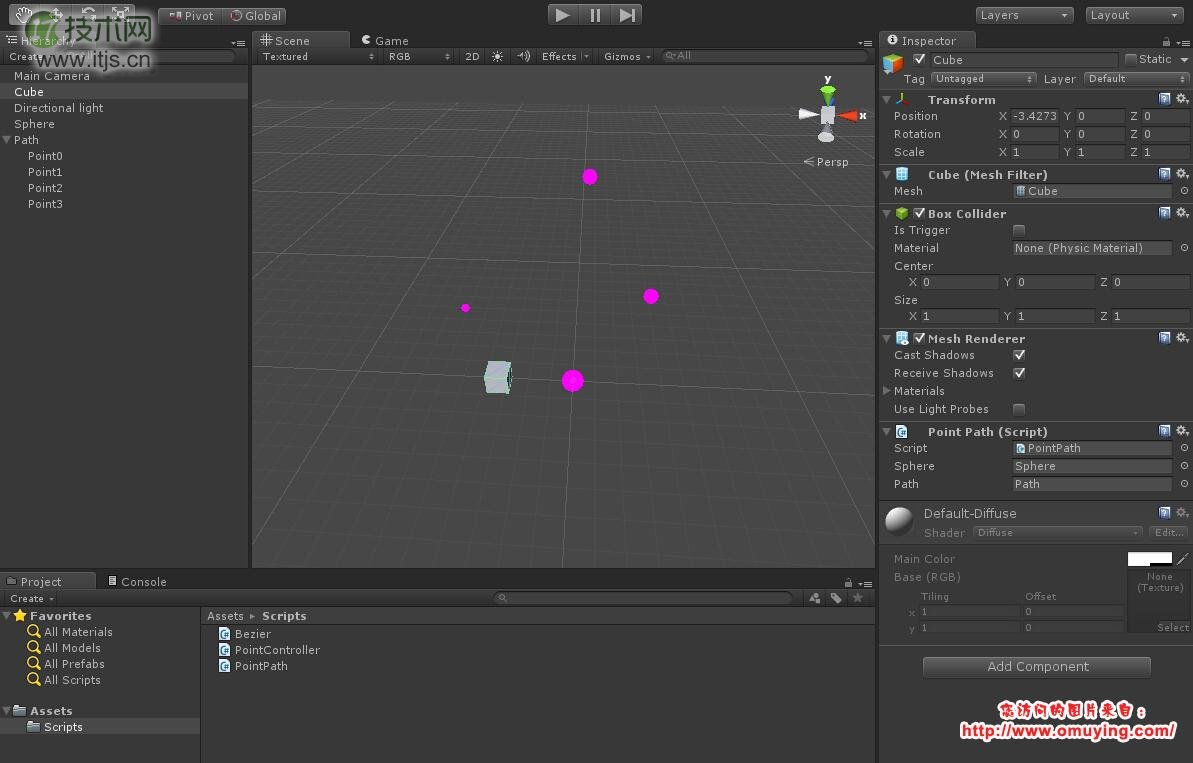
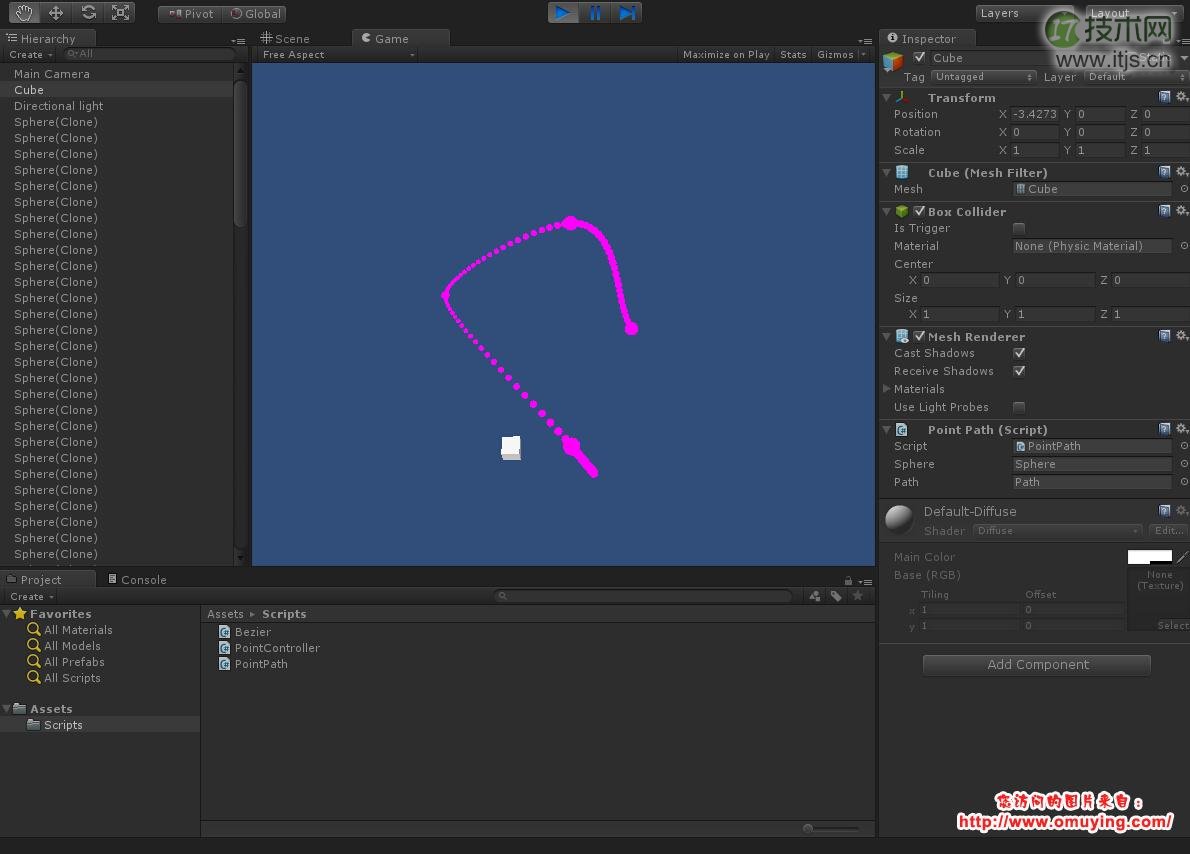
Demo 代码:
using UnityEngine;
using System.Collections.Generic;

public class PointPath : MonoBehaviour
{
	private Vector3[] pathList;

	public GameObject sphere;
	public GameObject path;

	void Awake()
	{
		Transform[] transformList = path.GetComponentsInChildren<Transform> ();
		int length = transformList.Length;

		pathList = new Vector3[length];
		for (int index = 0; index < length; index ++)
		{
			pathList[index] = transformList[index].transform.position;
		}

		Vector3[] resultList = PointController.PointList (this.pathList, 20);

		foreach (Vector3 point in resultList)
		{
			GameObject gameObject = (GameObject)Instantiate(sphere);
			gameObject.transform.localPosition = point;
			gameObject.transform.localScale = new Vector3(0.5f, 0.5f, 0.5f);
		}
	}
}
PointController.cs
using UnityEngine;
using System;
using System.Collections;

public class PointController
{
	/// <summary>
	/// 获取曲线上面的所有点
	/// </summary>
	/// <returns>The list.</returns>
	/// <param name="path">需要穿过的点列表</param>
	/// <param name="pointSize">两个点之间的节点数量</param>
	public static Vector3[] PointList(Vector3[] path, int pointSize)
	{
		Vector3[] controlPointList = PathControlPointGenerator(path);

		int smoothAmount = path.Length * pointSize;
		Vector3[] pointList = new Vector3[smoothAmount];

		for (int index = 1; index <= smoothAmount; index++)
		{
			Vector3 currPt = Interp(controlPointList, (float) index / smoothAmount);
			pointList[index - 1] = currPt;
		}
		return pointList;
	}

	/// <summary>
	/// 获取控制点
	/// </summary>
	/// <returns>The control point generator.</returns>
	/// <param name="path">Path.</param>
	private static Vector3[] PathControlPointGenerator(Vector3[] path)
	{
		int offset = 2;
		Vector3[] suppliedPath = path;
		Vector3[] controlPoint = new Vector3[suppliedPath.Length + offset];
		Array.Copy(suppliedPath, 0, controlPoint, 1, suppliedPath.Length);

		controlPoint[0] = controlPoint[1] + (controlPoint[1] - controlPoint[2]);
		controlPoint[controlPoint.Length - 1] = controlPoint[controlPoint.Length - 2] + (controlPoint[controlPoint.Length - 2] - controlPoint[controlPoint.Length - 3]);

		if(controlPoint[1] == controlPoint[controlPoint.Length - 2])
		{
			Vector3[] tmpLoopSpline = new Vector3[controlPoint.Length];
			Array.Copy(controlPoint, tmpLoopSpline, controlPoint.Length);
			tmpLoopSpline[0] = tmpLoopSpline[tmpLoopSpline.Length - 3];
			tmpLoopSpline[tmpLoopSpline.Length - 1] = tmpLoopSpline[2];
			controlPoint = new Vector3[tmpLoopSpline.Length];
			Array.Copy(tmpLoopSpline, controlPoint, tmpLoopSpline.Length);
		}

		return(controlPoint);
	}

	/// <summary>
	/// 根据 T 获取曲线上面的点位置
	/// </summary>
	/// <param name="pts">Pts.</param>
	/// <param name="t">T.</param>
	private static Vector3 Interp(Vector3[] pts, float t)
	{
		int numSections = pts.Length - 3;
		int currPt = Mathf.Min(Mathf.FloorToInt(t * (float) numSections), numSections - 1);
		float u = t * (float) numSections - (float) currPt;

		Vector3 a = pts[currPt];
		Vector3 b = pts[currPt + 1];
		Vector3 c = pts[currPt + 2];
		Vector3 d = pts[currPt + 3];

		return .5f * (
			(-a + 3f * b - 3f * c + d) * (u * u * u)
			+ (2f * a - 5f * b + 4f * c - d) * (u * u)
			+ (-a + c) * u
			+ 2f * b
			);
	}
}