


为了丰富我们的游戏,我们经常会给游戏中的角色(怪物)添加行走路线,本想用 ITweenPath 插件实现,但是一直没有找到合适的办法,因为不知道如何实现实行的获得地形高度,或者如果使用角色控制器移动(CharacterController),怎么使用 ITweenPath 驱动?本人愚笨,自己实现了个(这儿只是使用 ITweenPath 绘制出来的点),也算抛砖引玉,如果读者知道如何更简单的实现方式,还请告之!共同进步!
先来看看最终的效果图:
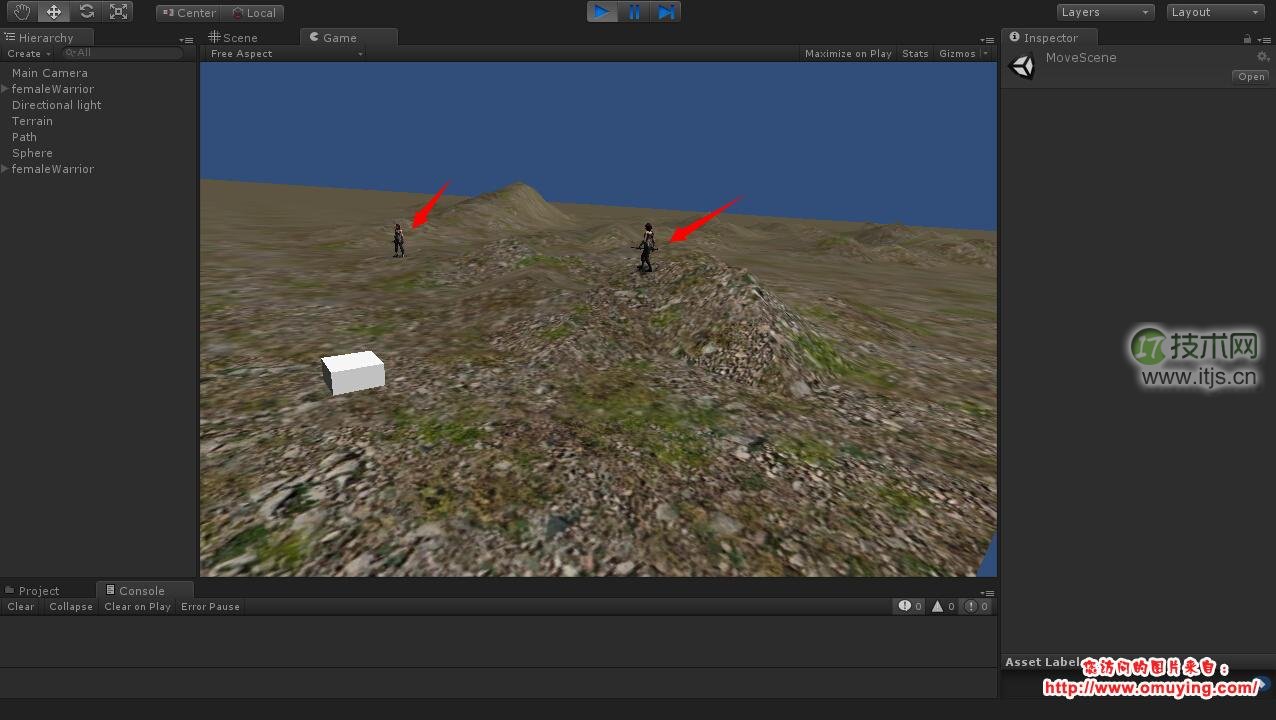
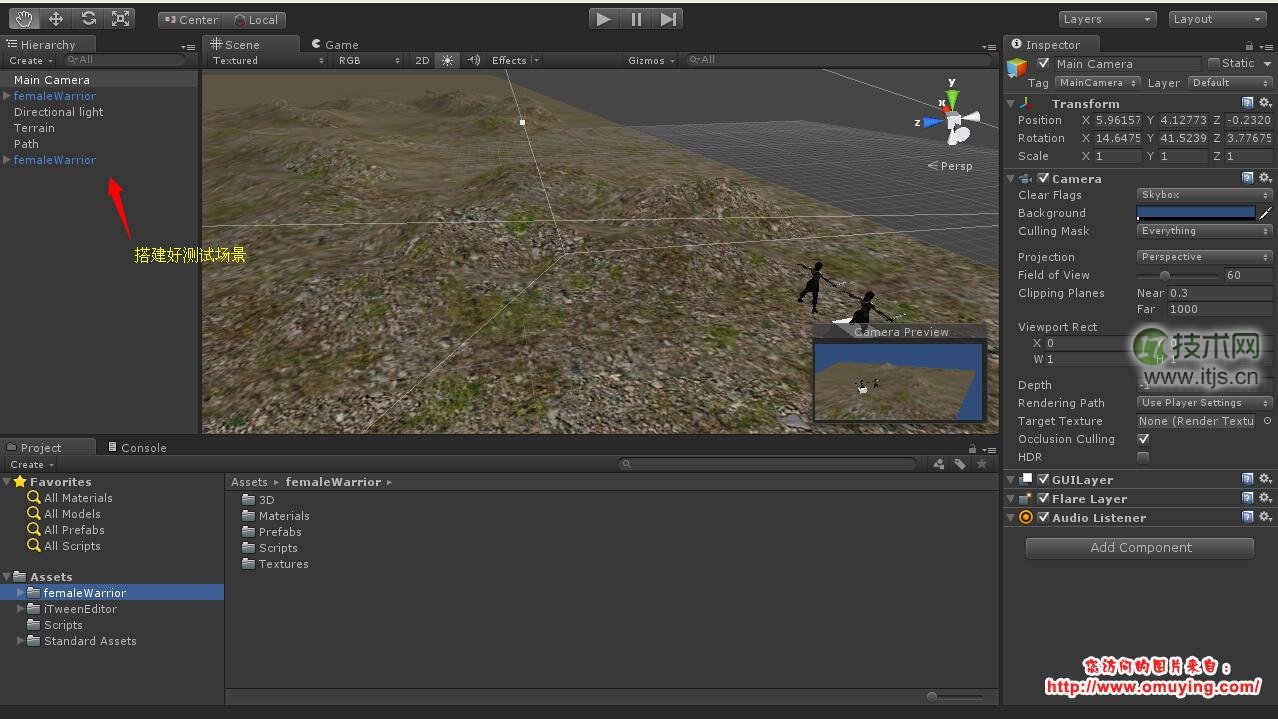
场景中有两个角色,之后呢他们会在 ITweenPath 绘制的线上随机移动!下面我们先搭建好测试的场景,如下图:
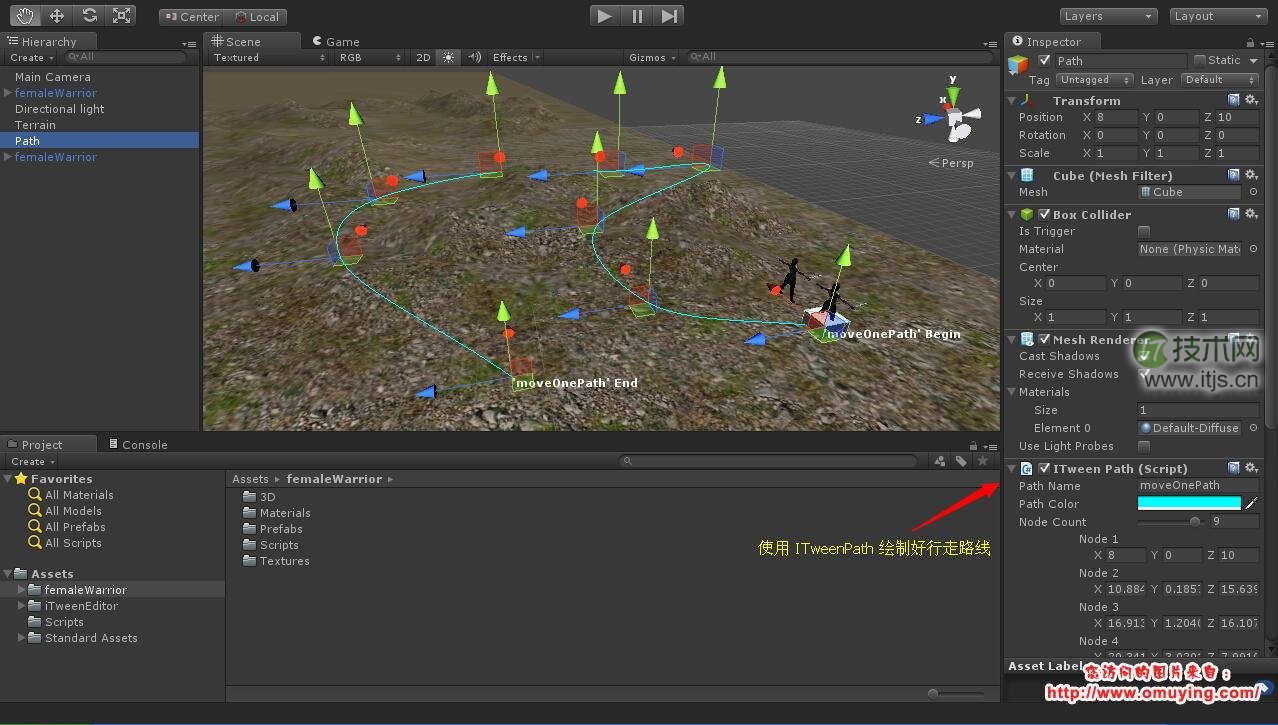
之后呢我们使用 ITweenEditor 编辑场景中角色的行进路线,如下图:
后面,就需要我们自己去实现行走的逻辑了,获取 ITweenPath 曲线上的点,前面的文章中提到,详细可以看此链接,之后呢我们新建立一个 RoleController.cs 文件,之后呢编写我们的代码,全部代码如下:
using UnityEngine;
using System.Collections;

public class RoleController : MonoBehaviour
{
	public iTweenPath tweenPath;

	/// <summary>
	/// 曲线上面点的个数,点数越多移动越平滑
	/// </summary>
	public int pointSize = 5;

	/// <summary>
	/// 角色移动速度
	/// </summary>
	public float speed = 3f;

	public AnimationClip walkClip;
	public AnimationClip idleClip;

	private Vector3[] pathPositionList;
	private Vector3 pathPoint;

	private Vector3[] positionList;
	private Vector3 nextPoint;
	private Vector3 direction;

	private int moveIndex;
	private bool moveStatus;
	private bool idleStatus;

	private Animation animation;

	void Awake()
	{
		this.pathPositionList = PointController.PointList(tweenPath.nodes.ToArray(), this.pointSize);
		this.animation = this.GetComponent<Animation> ();

		this.moveIndex = 0;
		this.moveStatus = false;
		this.idleStatus = false;

		if (this.pathPositionList.Length > 0)
		{
			this.pathPoint = this.pathPositionList [Random.Range(0, this.pathPositionList.Length)];
		}
	}

	void Start()
	{
		this.transform.position = this.GetTerrainPosition (this.pathPoint);
		this.StartCoroutine(this.SetNextPositionList(0));
	}

	void Update()
	{
		this.SetMoveDirection ();
		this.SetMovePosition ();
	}

	/// <summary>
	/// 设置移动向量
	/// </summary>
	protected void SetMoveDirection()
	{
		if (this.positionList == null) return;
		if (this.moveIndex < this.positionList.Length)
		{
			if(!this.moveStatus)
			{
				this.pathPoint = this.positionList[this.moveIndex];
				this.nextPoint = this.GetTerrainPosition(this.pathPoint);
				this.direction = (this.nextPoint - this.transform.position).normalized * this.speed;

				if(this.direction != Vector3.zero)
				{
					this.transform.rotation = Quaternion.LookRotation(new Vector3(this.direction.x, 0f, this.direction.z));
					this.moveStatus = true;
				}else{
					this.moveIndex ++;
				}
			}
		}else
		{
			if(!idleStatus)
			{
				this.idleStatus = true;
				this.animation.CrossFade (this.idleClip.name);
				this.StartCoroutine(this.SetNextPositionList(5));
			}
		}
	}

	/// <summary>
	/// 设置移动位置
	/// </summary>
	protected void SetMovePosition ()
	{
		if (this.positionList == null) return;

		if (!this.IsArrivePosition ())
		{
			//this.characterController.Move(this.direction * Time.deltaTime); // 可以取消这句,并且注释下面那句,可以使用角色控制器进行移动
			this.transform.position = GetTerrainPosition(this.transform.position + this.direction * Time.deltaTime);
		} else {
			this.transform.position = this.nextPoint;
			this.moveStatus = false;
			this.moveIndex ++;
		}
	}

	protected IEnumerator SetNextPositionList(int sceond)
	{
		if (sceond > 0)
		{
			yield return new WaitForSeconds (5);
		} else {
			yield return null;
		}

		int index = this.GetIndexByList (this.pathPositionList, this.pathPoint);
		if (index != -1)
		{
			int nextIndex = Random.Range(0, this.pathPositionList.Length);
			if(index != nextIndex)
			{
				int beginIndex = index > nextIndex   nextIndex : index;
				int endIndex = index > nextIndex   index : nextIndex;

				Vector3[] positionList = new Vector3[endIndex - beginIndex];
				int positionLength = positionList.Length;

				if(index > nextIndex)
				{
					for(int pathIndex = endIndex, positionIndex = 0; pathIndex >= beginIndex && positionIndex < positionLength; pathIndex --, positionIndex ++)
					{
						positionList[positionIndex] = this.pathPositionList[pathIndex];
					}
				}else{
					for(int pathIndex = beginIndex, positionIndex = 0; pathIndex <= endIndex && positionIndex < positionLength; pathIndex ++, positionIndex ++)
					{
						positionList[positionIndex] = this.pathPositionList[pathIndex];
					}
				}

				this.moveIndex = 0;
				this.moveStatus = false;
				this.idleStatus = false;
				this.animation.CrossFade (this.walkClip.name);

				this.positionList = positionList;
			}
		}
	}

	/// <summary>
	/// 获取点帖地位置
	/// </summary>
	/// <returns>The terrion position.</returns>
	/// <param name="position">Position.</param>
	private Vector3 GetTerrainPosition(Vector3 position)
	{
		Vector3 terrainPosition = new Vector3 (position.x, position.y, position.z);
		terrainPosition.y = Terrain.activeTerrain.SampleHeight (terrainPosition);
		return terrainPosition;
	}

	/// <summary>
	/// 是否到达指定位置
	/// </summary>
	/// <returns><c>true</c> if this instance is arrive position; otherwise, <c>false</c>.</returns>
	private bool IsArrivePosition()
	{
		Vector3 currentDirection = (this.nextPoint - (this.transform.position + this.direction * Time.deltaTime)).normalized;
		if (this.CalculateNormalized (currentDirection) == this.CalculateNormalized (this.direction) * -1)
		{
			return true;
		}
		return false;
	}

	/// <summary>
	/// 计算向量标准
	/// </summary>
	/// <returns>The normalized.</returns>
	/// <param name="data">Data.</param>
	private Vector3 CalculateNormalized(Vector3 data)
	{
		Vector3 position = Vector3.zero;
		position.x = data.x >= 0   1 : -1;
		position.z = data.z >= 0   1 : -1;
		return position;
	}

	private int GetIndexByList(Vector3[] positionList, Vector3 position)
	{
		int index = 0;
		foreach (Vector3 item in positionList)
		{
			if(item.x == position.x && item.y == position.y && item.z == position.z) return index;
			index ++;
		}
		return -1;
	}
}
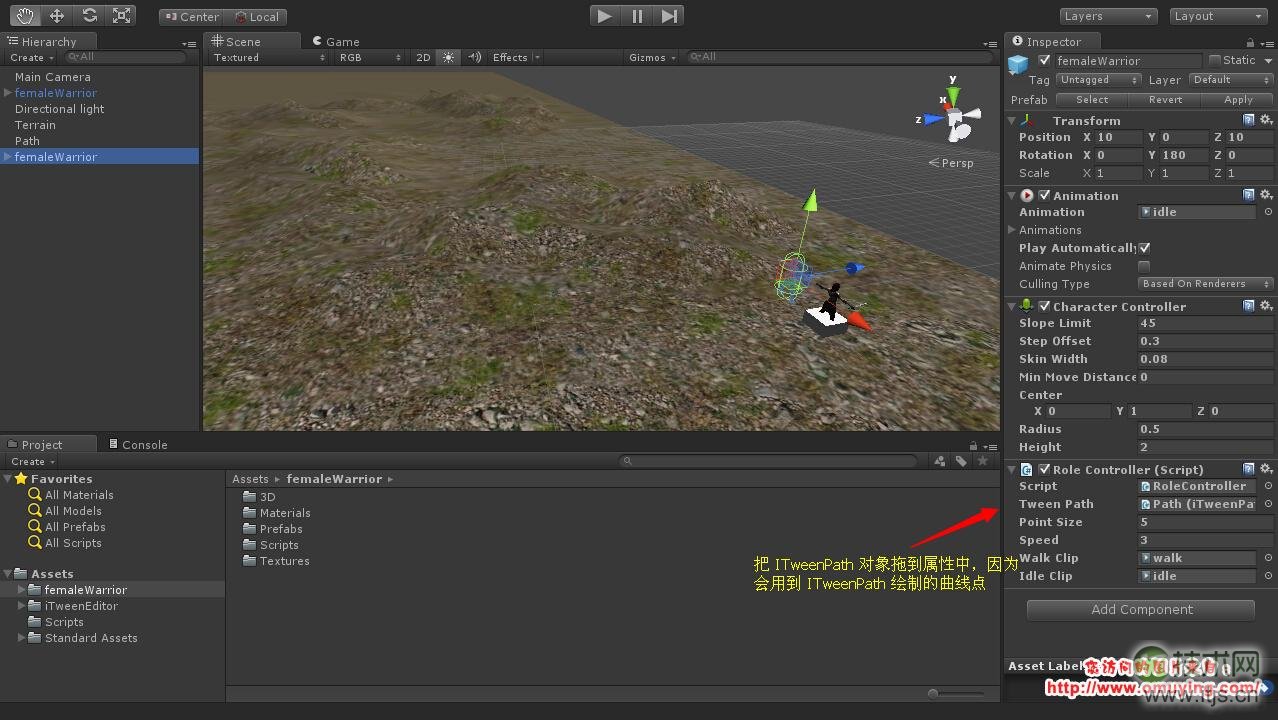
之后呢我们给场景中的角色挂载 RoleController.cs 脚本,并且设置好相关属性,如下图:
最后运行游戏,就可以看到角色在场景中按线路行走了!