


引言
现在网络上有很多关于LINQ的使用教程,所以我并不想证明这篇文章有多么的与众不同,或许有不少前辈们已经走在了我的前面。但是我发现LINQ真的非常有趣,忍不住想分享一下关于LINQ的使用知识,这些都是我自己的实践经验总结,希望可以帮助正在学习LINQ的同学。
文章背景
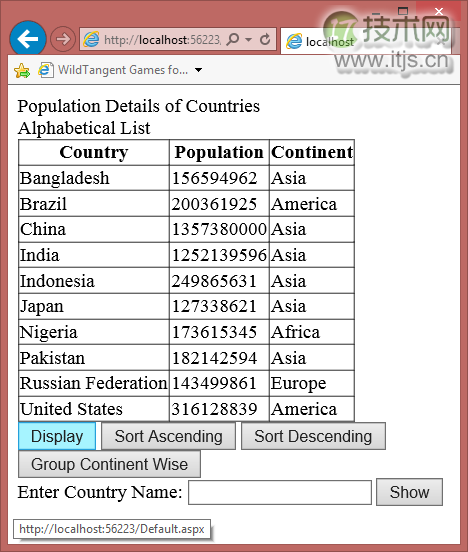
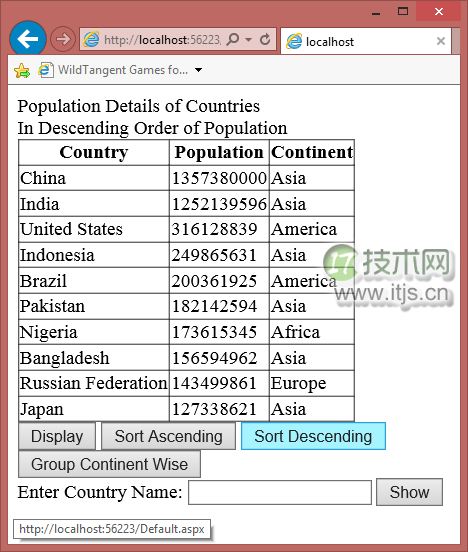
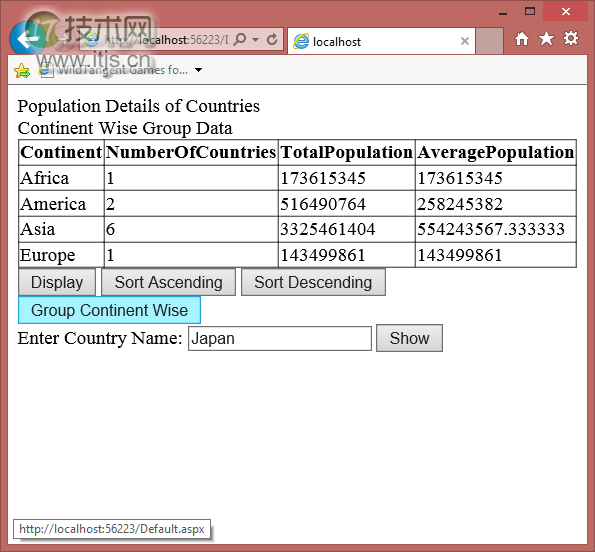
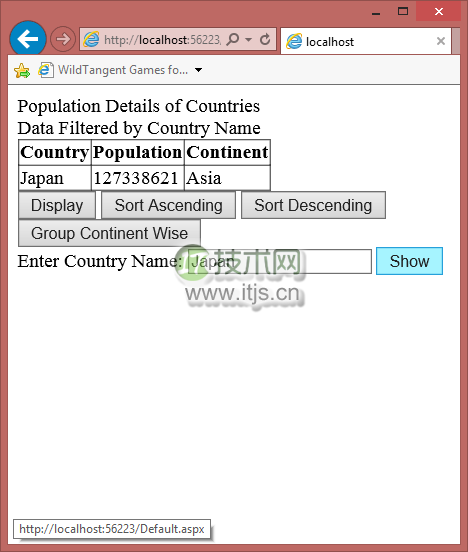
LINQ可以对很多数据源进行查询操作,比如数据库、数组(array)、链表(list)、XML文件等。在该篇中,我将从数组中提取数据,这些数据是10个最受欢迎的国家。有一个类叫Countries,有country, population and continent这些属性。我们将以Countries类为元素的数组作为数据源,绑定到Gridview进行显示,并且利用LINQ对数据进行排序、分组和过滤。
下面是一些效果图:
代码
下面就是Countries类:
public class Countries
{
    public string Country
    {
        get;
        set;
    }
    public long Population
    {
        get;
        set;
    }
    public string Continent
    {
        get;
        set;
    }
}
下面的Page_Load函数将对 Countries类数组进行初始化:
protected void Page_Load(object sender, EventArgs e)
{
    for (int ctr = 0; ctr < cc.Length;ctr++ )
    {
        cc[ctr] = new Countries();
    }
    cc[0].Country = "Bangladesh";
    cc[0].Population = 156594962;
    cc[0].Continent = "Asia";
    cc[1].Country = "Brazil";
    cc[1].Population = 200361925;
    cc[1].Continent = "America";
    cc[2].Country = "China";
    cc[2].Population = 1357380000;
    cc[2].Continent = "Asia";
    cc[3].Country = "India";
    cc[3].Population = 1252139596;
    cc[3].Continent = "Asia";
    cc[4].Country = "Indonesia";
    cc[4].Population = 249865631;
    cc[4].Continent = "Asia";
    cc[5].Country = "Japan";
    cc[5].Population = 127338621;
    cc[5].Continent = "Asia";
    cc[6].Country = "Nigeria";
    cc[6].Population = 173615345;
    cc[6].Continent = "Africa";
    cc[7].Country = "Pakistan";
    cc[7].Population = 182142594;
    cc[7].Continent = "Asia";
    cc[8].Country = "Russian Federation";
    cc[8].Population = 143499861;
    cc[8].Continent = "Europe";
    cc[9].Country = "United States";
    cc[9].Population = 316128839;
    cc[9].Continent = "America";
    btnDisplay_Click(sender, e);
}
点击展示按钮后,即可将数据绑定到GridView:
protected void btnDisplay_Click(object sender, EventArgs e)
{
    Label2.Text = "Alphabetical List";
    var info = from i in cc select i;
    GridView1.DataSource = info;
    GridView1.DataBind();
}
下面的代码是利用LINQ对数据进行排序:
protected void btnAsc_Click(object sender, EventArgs e)
{
    Label2.Text = "In Ascending Order of Population";
    var info = from i in cc orderby i.Population select i;
    GridView1.DataSource = info;
    GridView1.DataBind();
}
protected void btnDesc_Click(object sender, EventArgs e)
{
    Label2.Text = "In Descending Order of Population";
    var info = from i in cc orderby i.Population descending select i;
    GridView1.DataSource = info;
    GridView1.DataBind();
}
正如你上面所看到的,orderby 可以指定按population属性正向排序还是反向排序。
下面的代码我们将利用LINQ实现按country分组的功能,并且列出国家的数量、总人口数以及平均人口数:
protected void btnGroup_Click(object sender, EventArgs e)
{
    Label2.Text = "Continent Wise Group Data";
    var info = from i in cc
               orderby i.Continent
               group i by i.Continent into g
               select new
               {
                   Continent = g.Key,
                   NumberOfCountries = g.Count(),
                   TotalPopulation = g.Sum(s => s.Population),
                   AveragePopulation = g.Average(a => a.Population)
               };
    GridView1.DataSource = info;
    GridView1.DataBind();
}
groupby 操作可以实现不同的分组效果,我们可以根据 Count(), Sum(), Average()等方式来分组。
下面的代码将利用LINQ对数据进行过滤:
protected void btnShow_Click(object sender, EventArgs e)
{
    Label2.Text = "Data Filtered by Country Name";
    var info = from i in cc where i.Country.ToUpper() == txtCountry.Text.Trim().ToUpper() select i;
    GridView1.DataSource = info;
    GridView1.DataBind();
}
where 操作可以指定数据过滤的条件,比如你可以根据国家名称来过滤。
总结
LINQ提供了很多简单而高效的方式操作数据源,这个示例我使用Visual Studio Express 2013开发的。点击这里可以下载整个工程的源代码。